
AI Script Creation
Speak or type an idea and get a natural script in seconds - then edit it, rewrite it or change its tone.
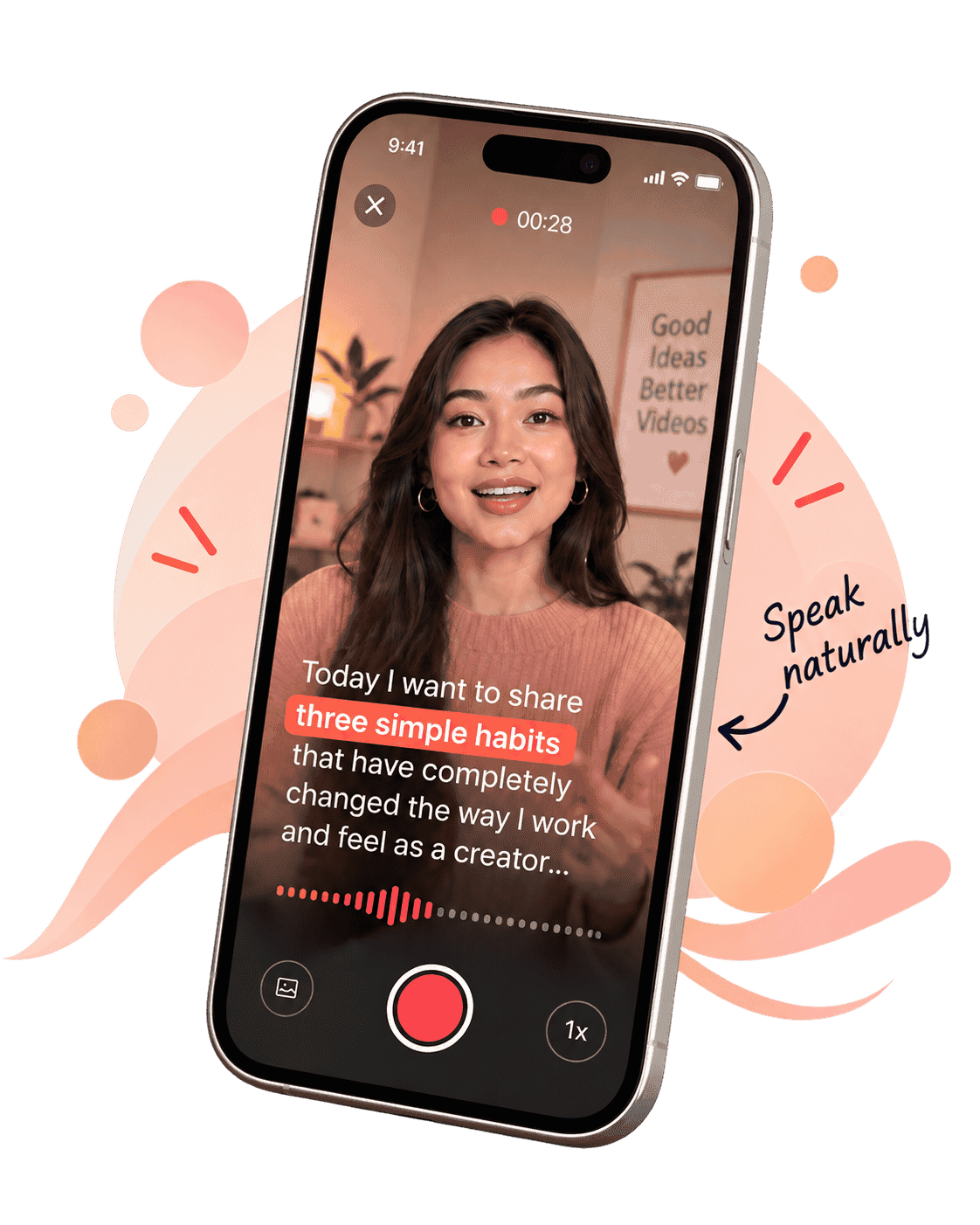
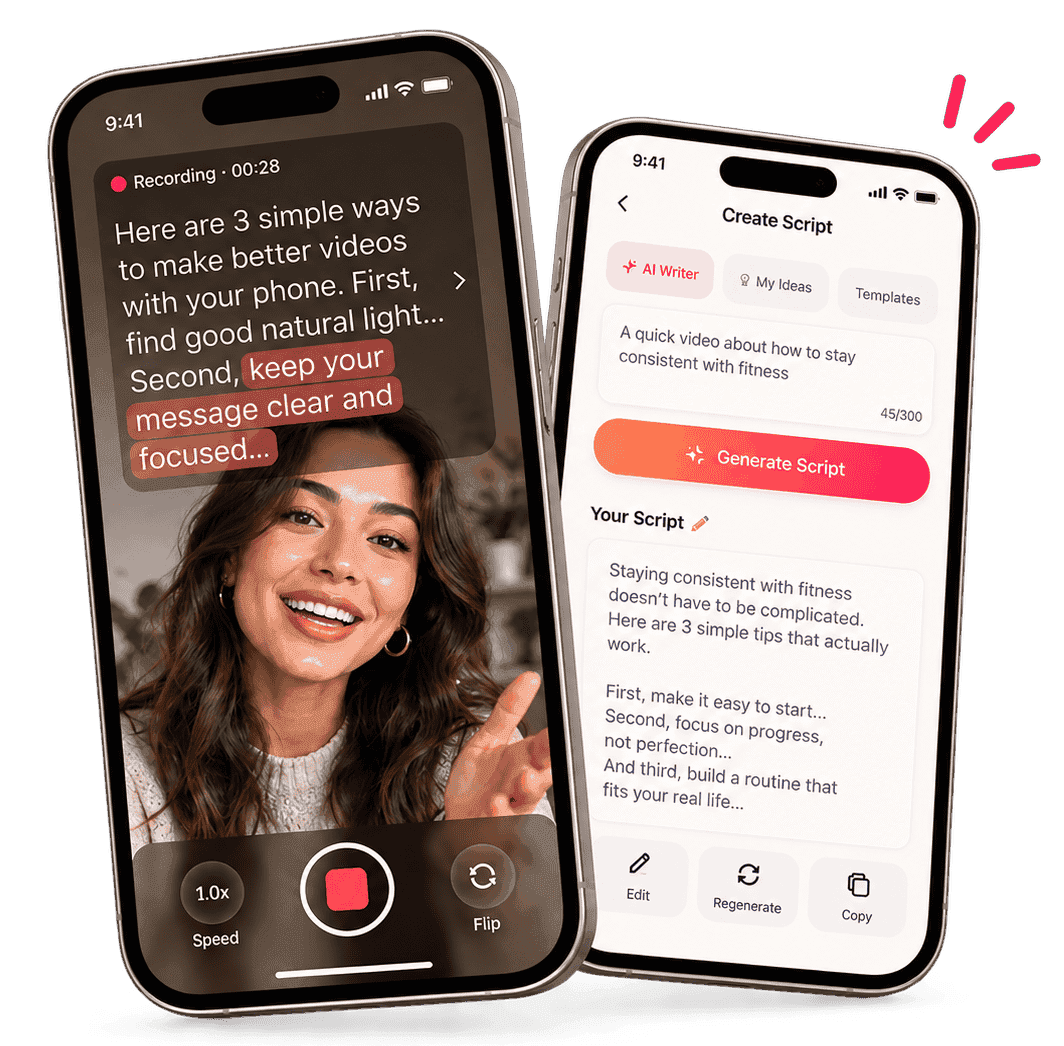
Tell TalkTake what you want to speak about. Get a natural, editable script, then record with a teleprompter that scrolls over your camera.



Create. Speak. Record.
 Everything you need to
TalkTake helps creators go from idea to script to recording - with AI scripts that know your brand and a teleprompter over your camera, all in one place.
Speak or type an idea and get a natural script in seconds - then edit it, rewrite it or change its tone.
Tell the AI about your product once - by typing, speaking, a website link or a PDF - and every script uses it.
From 15 seconds to 10 minutes, with ready-made structures like Problem → Solution or Storytelling - or your own.
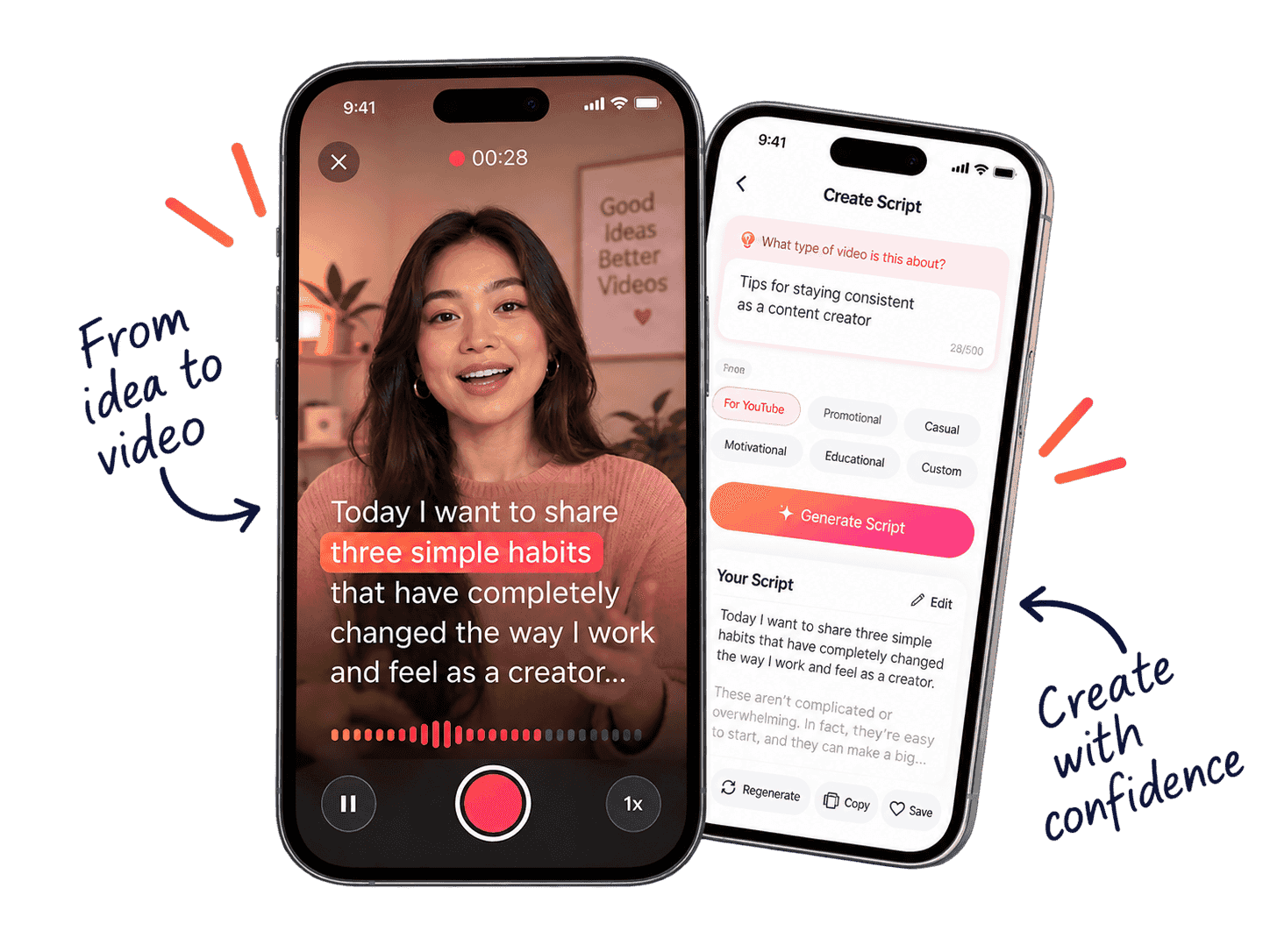
Your script scrolls over the camera at the speed you choose, after a short countdown. Drag to move back or ahead.

Preview your recording, make sure it's perfect, and save it to your library.
Keep scripts and videos organized by project, and track your progress with weekly insights.
From idea to Share your idea, let AI prepare your script, then record confidently with the teleprompter - all in one place.

Tell us what your video is about by typing or speaking. Pick a project, a length and a structure - or leave it on Auto.
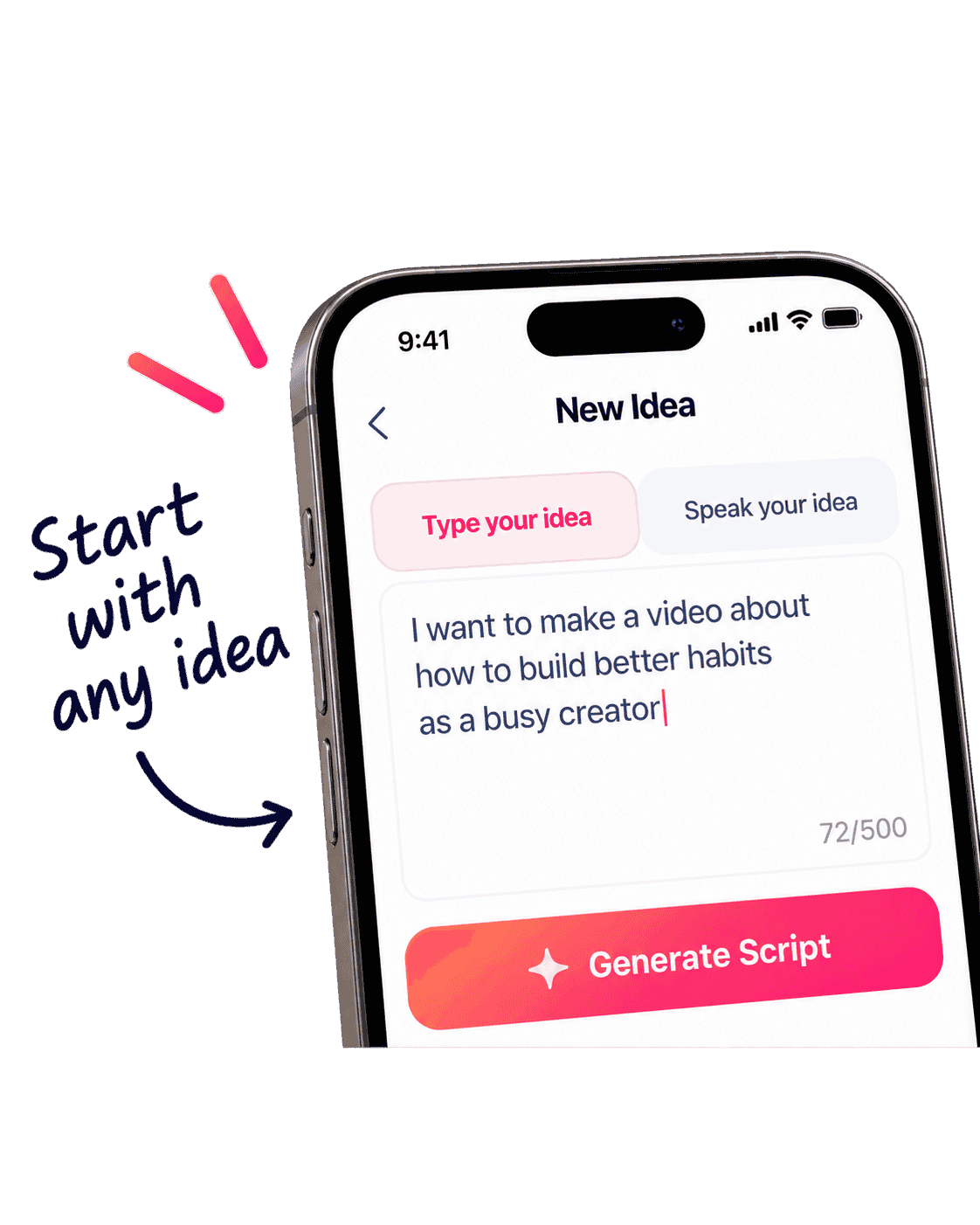

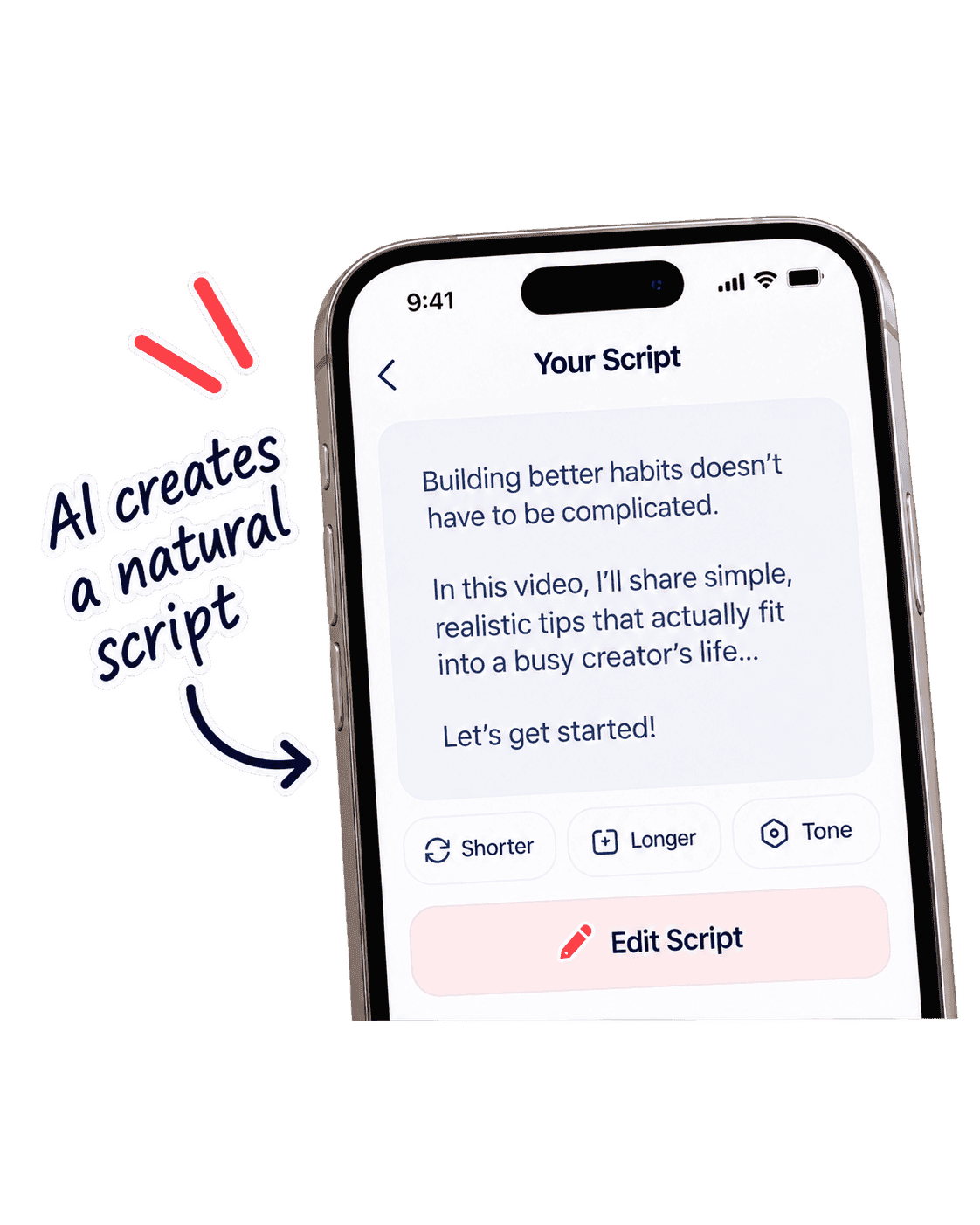
Our AI turns your idea into a natural, engaging script you can edit and make your own.

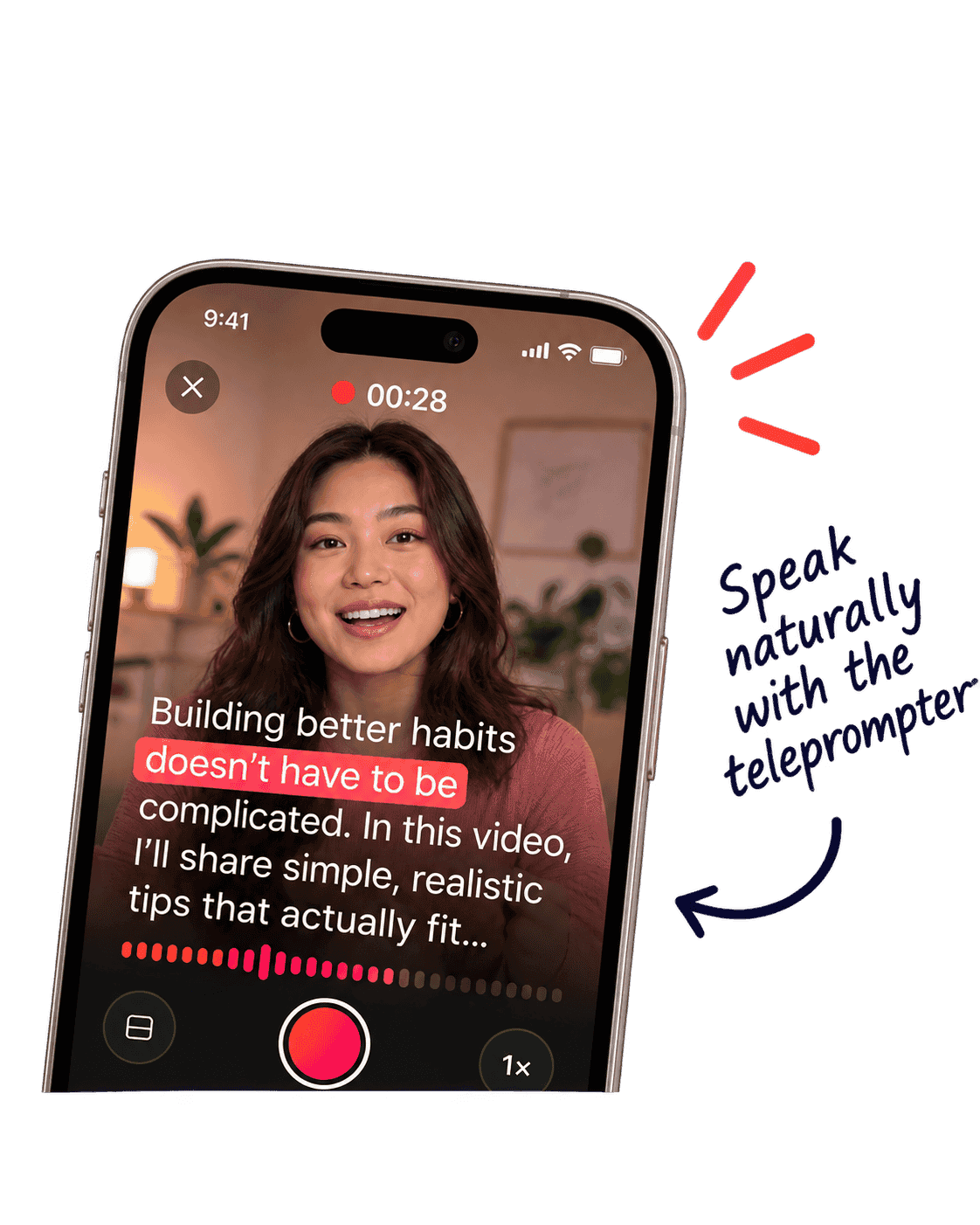
Read from the teleprompter over your camera at your own speed, stay on track, and record high-quality videos.
 You have the idea.
Writing takes time, memorizing feels unnatural, and reading from another screen breaks eye contact. TalkTake helps creators stay natural and confident on camera.

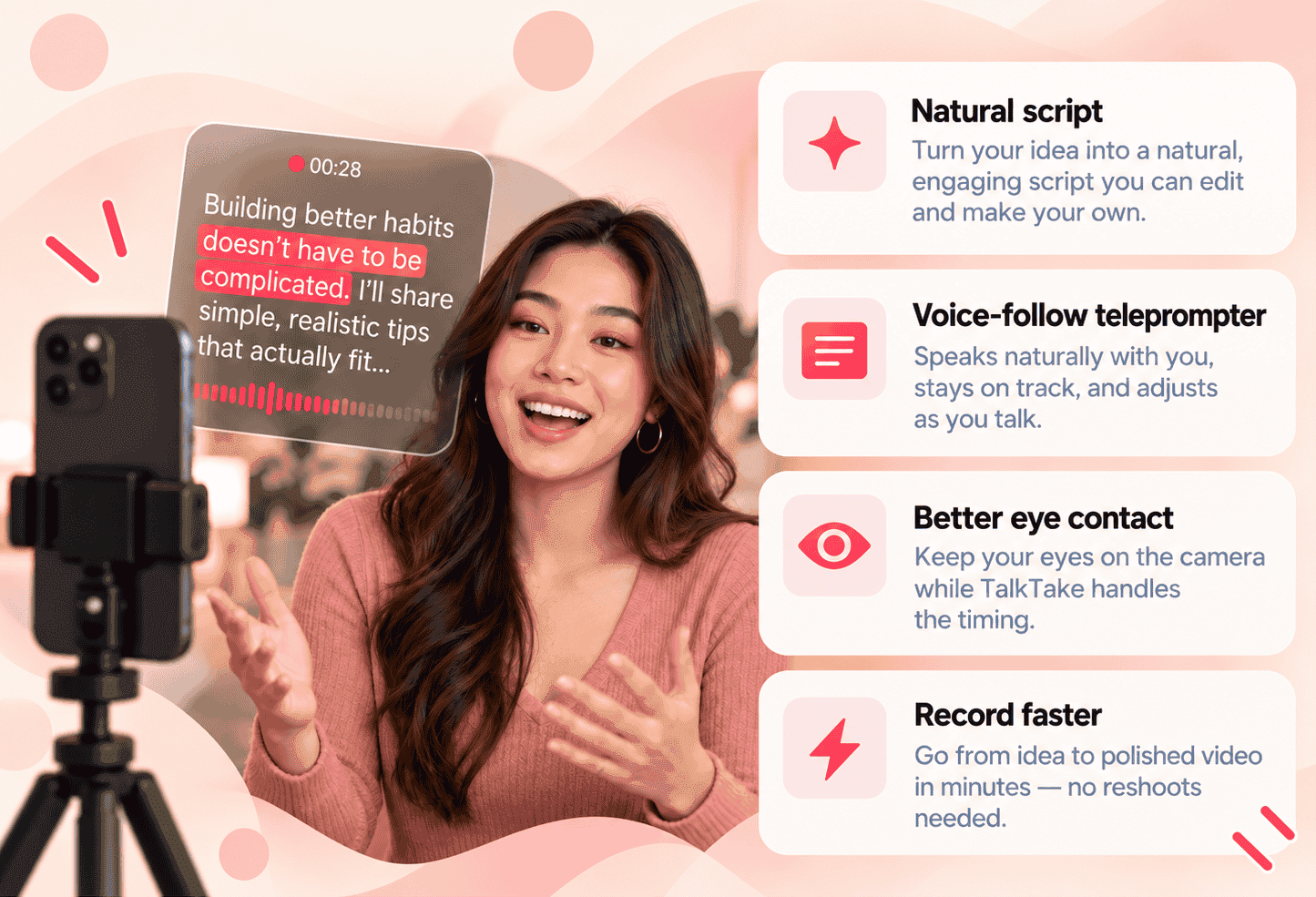

Focus on your message - not on memorizing every line.
 Simple pricing.
One plan with every feature. Pick monthly or save with annual - either way, your first 7 days are on us.
Flexible, month to month.
Billed monthly after your free trial.
Best for consistent creators.
$59.99 billed annually after your free trial.
 Frequently asked questions.
Everything you need to know about TalkTake - from creating scripts to recording and saving your videos.
TalkTake is an AI-powered app that helps you turn your ideas into confident videos. Speak or type your idea, get a natural script, then record with a teleprompter that scrolls over your camera, so you can speak naturally and stay on track.
Not at all! You can write or paste your own script manually. AI script creation is an optional feature - it's there when you want a head start, but you're always in control of your content.
Your script scrolls smoothly over the camera view while you record. Choose a speed from 0.5x to 1.5x to match how fast you talk, and a 3, 5 or 10-second countdown before it starts. You can use the front or rear camera.
Just touch and drag the script. Scrolling pauses while you hold it, so you can move back to where you were or skip ahead, and it continues from there when you let go.
A project is a product, business or channel you make videos about. Tell the AI about it once - type it, speak it, paste your website link or upload a PDF - and every script you write for that project uses those details, like your features, prices and tone.
Yes. Pick any length from 15 seconds up to 10 minutes, and choose a structure such as Problem → Solution, Storytelling, Tips, Tutorial or Hot Take. You can also create up to 10 structures of your own, or leave it on Auto and the AI picks the best fit.
TalkTake Pro is $9.99/month or $5.00/month billed annually ($59.99/year). Every plan includes all features, starting with a 7-day free trial.
Yes! After the AI generates your script, you can edit every word. Tap any line to change it, add new sections, or delete what doesn't fit your style.
Absolutely. Once you're happy with your recording, you can save it directly to your device's camera roll in high quality.
Yes. Your scripts are saved in your library so you can come back and record whenever you're ready - no need to regenerate or retype anything.
You won't be charged for the first 7 days. If you cancel before the trial ends, you pay nothing. You can cancel or switch between monthly and annual anytime in your App Store or Google Play subscription settings (Profile → Manage in the app takes you there).
Yes. TalkTake is available on the App Store for iPhone and on Google Play for Android. Your account and subscription work on both.
 Your next video
Tell TalkTake what you want to say, turn it into a script, and record with confidence.