Why Every Video Creator Is Using a Teleprompter in 2025
The standard for short-form video on TikTok, Instagram Reels, and YouTube Shorts has skyrocketed. Viewers expect crisp delivery, zero dead air, and continuous eye contact.
To keep up with daily publishing schedules, creators rely heavily on teleprompter apps. Two names dominate creator discussions: CapCut (known for its all-in-one editing suite) and TalkTake (the dedicated AI scripting and voice-follow recording studio).
Which app should you use for recording your videos? Let's break down the technical differences, daily workflows, and end results.
1. Scrolling Technology: Manual vs. Voice Tracking
CapCut Teleprompter: Fixed Speed Timer
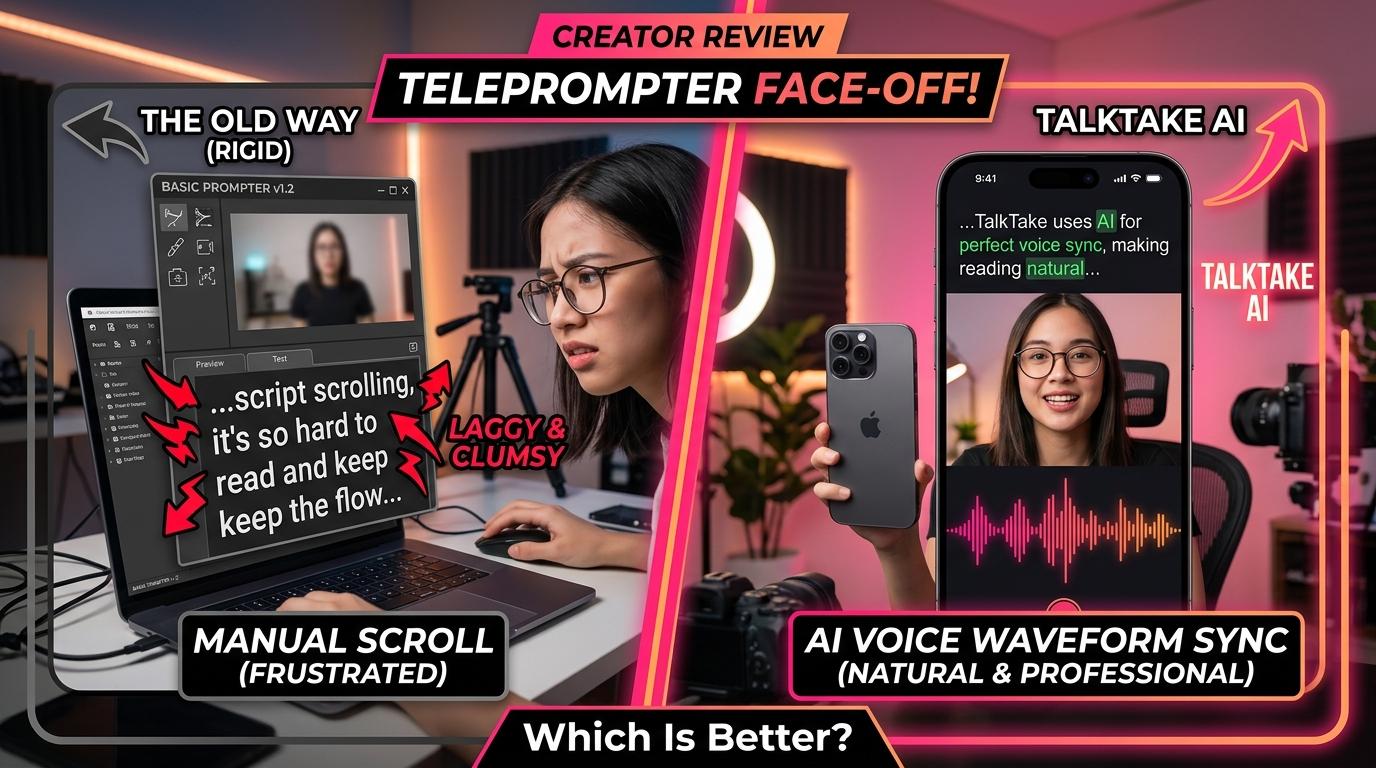
CapCut features a built-in teleprompter window inside its camera tool. However, CapCut's prompter relies strictly on static time-based scrolling. You set a fixed slider speed (e.g., 2.5x or 150 WPM), press start, and the script scrolls mechanically from bottom to top.
- The Problem: Humans do not speak like metronomes. When you tell a personal story, make a comedic pause, or emphasize a critical statistic, CapCut continues rolling. Creators frequently lose their spot or rush their speech to keep up.
TalkTake: Real-Time AI Voice Following
TalkTake is engineered around advanced on-device speech tracking. As you read aloud, the app's audio engine recognizes the exact phonetic words leaving your mouth and syncs the teleprompter dynamically:
- If you pause for 5 seconds to think or laugh, the script halts instantly.
- When you resume, it scrolls right along with your vocal cords.
- You can speak at varying cadences without ever touching the screen.
2. Scriptwriting & AI Generation
CapCut
CapCut is fundamentally a video editor. While it offers desktop text tools, writing scripts inside the mobile app is basic. You must draft your script in an external app like Apple Notes or Google Docs, copy the text, and manually paste it into the CapCut teleprompter window.
TalkTake
TalkTake is built as an end-to-end scripting studio:
- Built-in AI Script Engine: Simply type your topic (e.g., "3 mistakes first-time home buyers make"), and TalkTake generates a formatted, high-retention script with a viral hook, bulleted insights, and CTA in under 10 seconds.
- Tone Tuning: Switch between conversational, energetic, educational, or professional tones directly before recording.
- One-Tap Recording: Once the script is ready, you jump straight into recording mode with zero copy-pasting.
3. Eye Contact & Optical Realism
One of the biggest giveaways of a teleprompter is "shifty eyes" — viewers noticing your pupils darting back and forth across the screen.
| Feature | CapCut Prompter | TalkTake Prompter |
|---|---|---|
| Scrolling Engine | Static speed slider | AI Real-Time Voice Sync |
| Eye Alignment | Wide text box (visible pupil drift) | Auto-centered compact reading frame |
| Script Generation | None (manual paste only) | Built-in AI script creator |
| Ad-Lib & Pausing | Text scrolls away; forces restarts | Pauses and resumes with voice |
| Primary Focus | Post-production video editing | Pre-production scripting & flawless recording |
CapCut's text box is wide by default, which can cause subtle lateral eye movement. TalkTake keeps the reading column deliberately narrow and positioned millimeters beneath the front camera lens, ensuring your gaze appears 100% locked on the audience.
When to Use CapCut vs. TalkTake
Use CapCut when:
- You need heavy multi-track timeline editing, keyframe animations, trending green-screen meme overlays, and auto-captions after shooting.
Use TalkTake when:
- You want to turn raw ideas into structured video scripts instantly.
- You want to eliminate multiple retakes and record in a natural, conversational voice.
- You want a teleprompter that adapts to your breathing, pauses, and cadence rather than forcing you to race a clock.
The Winning Creator Workflow
The most productive creators use both tools in tandem:
- Script and record in TalkTake: Get a flawless, confident take in minutes using the voice-follow prompter.
- Export crisp 4K footage: Save the video directly to your camera roll.
- Polish in CapCut: Add music, sound effects, and automated captions.
Ready to see how effortless recording feels when the prompter listens to you? Download TalkTake free on iOS and experience intelligent voice-tracking on your next video.